
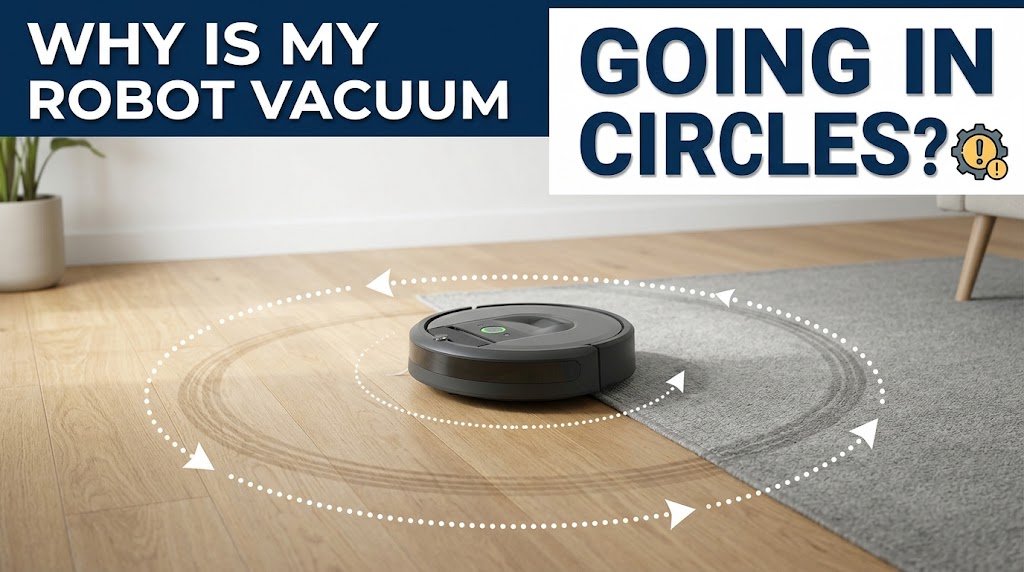
You hear the familiar chime of your robotic vacuum starting its scheduled cleaning cycle. You smile, expecting it to methodically navigate across the room, vacuuming up dust, pet hair, and debris. Instead, you walk into the living room and find your expensive automated helper trapped in an endless loop—spinning frantically in small circles like a confused puppy chasing its tail.
It ignores your commands, refuses to return to its charging dock, and completely fails to clean the floors.
Watching an autonomous appliance lose its mind can be deeply frustrating, especially when you bought it specifically to take the chore of vacuuming off your hands. But before you pack it up for an expensive warranty repair or throw it in the trash, take a deep breath. In the vast majority of cases, a robot vacuum spinning in circles is caused by a simple sensor obstruction, a temporary software glitch, or a minor hardware malfunction that you can diagnose and fix in less than ten minutes.
In this comprehensive guide, we will break down the exact reasons why your robot vacuum is going in circles, walk you through step-by-step troubleshooting solutions for major brands (like Roomba, Roborock, Eufy, and Shark), and share expert maintenance tips to keep your device running smoothly for years to come.
1. The Anatomy of Navigation: How Robot Vacuums “See” the World
To understand why a robot vacuum starts spinning in circles, it helps to first understand how these devices navigate. Unlike humans, a robot vacuum cannot “see” your room with eyes. Instead, it relies on a complex network of hardware and software working in tandem:
Cliff Sensors: Located on the underside near the front edge, these infrared sensors emit a signal toward the floor and measure the bounce-back time. If the signal doesn’t return (signaling a drop-off, like stairs or a loft edge), the robot reverses or turns away.
Bumper Rails: Mechanical spring-loaded bumpers on the front face detect physical collisions with walls, table legs, and furniture.
Wheel Encoders: Sensors inside the drive wheels track rotations to measure distance traveled and calculate turns. If one wheel’s encoder fails or slips, the robot thinks it is moving straight when it is actually pivoting.
LIDAR (Light Detection and Ranging) & Cameras: Advanced models use rotating laser towers or optical cameras to map your home and calculate exact positioning.
When any one of these navigation components sends corrupted, blocked, or contradictory data to the internal motherboard, the robot’s control algorithm panics. To prevent itself from falling down stairs or crashing violently into a wall, the vacuum’s safety protocol often forces it to execute a slow pivot or an endless spin loop.
2. Top 5 Reasons Your Robot Vacuum Is Going in Circles
Let’s examine the most common culprits behind this frustrating behavior, ordered from the easiest fixes to more advanced technical issues.
Culprit #1: Obstructed, Dusty, or Smudged Cliff Sensors
This is by far the #1 cause of circular spinning. Because cliff sensors sit on the bottom of the vacuum, they are constantly exposed to dust bunnies, pet dander, hair, and carpet fibers.
If a thick layer of dust cakes over an infrared cliff sensor, the sensor may misinterpret the obstruction as an infinite drop-off (a cliff). Alternatively, direct sunlight or dark, highly reflective black rugs can trick the sensors. When a single cliff sensor falsely registers a drop-off, the vacuum immediately stops forward momentum, backs up, and tries to turn away. If it receives conflicting signals from multiple sensors, it gets trapped in a continuous spinning loop.
Pro Tip: Flip your robot vacuum upside down right now. Look closely at the small, recessed plastic windows on the underside bumper area. If they look hazy or grey, they are dirty.
Culprit #2: Stuck, Jammed, or Faulty Bumper Rails
The front bumper of your vacuum is designed to absorb impacts. It rests on mechanical micro-switches. When the bumper hits a chair leg, the switch clicks, telling the software, “Obstacle ahead! Turn right.”
If pet hair, sticky spills, or small crumbs get wedged into the gap between the bumper and the main chassis, the micro-switch remains permanently depressed or physically stuck. The vacuum believes it is perpetually colliding with an object on one side, causing it to continuously spin away from the “ghost wall.”
Culprit #3: Hair and Debris Tangled in the Drive Wheels
Robot vacuums have independent motors for the left and right wheels. This differential drive system allows them to turn sharply and navigate complex rooms.
However, long human hair, carpet threads, and pet fur love to wind tightly around the axels of the drive wheels. If hair wraps heavily around the left wheel axle while the right wheel remains clear, the left wheel’s rotation resistance increases dramatically. The motor controller gets confused by the uneven RPM (revolutions per minute) between the left and right wheels, causing the robot to veer wildly off course or spin in tight circles.
Culprit #4: Software Glitches and Corrupted Map Data
Modern robot vacuums run sophisticated firmware and maintain internal spatial maps of your home. Like a smartphone or a laptop, these operating systems can occasionally experience software crashes, memory corruption, or bad firmware updates. If the internal positioning algorithm loses track of its coordinates, it may enter a calibration loop, spinning in circles to re-orient itself against its stored map.
Culprit #5: Failing Wheel Encoders or Hardware Failure
If you have cleaned all the sensors, cleared the wheels, and rebooted the software, but the spinning persists, you may be dealing with a hardware failure. Over years of use, internal wheel encoder chips can fail, motherboard solder joints can crack after an accidental drop down the stairs, or moisture damage can short out a navigation circuit board.
3. Step-by-Step Troubleshooting Guide
Follow these sequential troubleshooting steps to diagnose and resolve the issue.
Step 1: Perform a Deep Clean of the Sensors
Power off the robot vacuum completely using its physical power switch.
Grab a clean, dry microfiber cloth. Do not use harsh chemical sprays or abrasive scouring pads.
Wipe down all cliff sensors on the underside of the unit. Use a cotton swab (Q-tip) dipped in a tiny drop of rubbing alcohol to remove stubborn grime or film.
If your model features a top-mounted LIDAR turret (the little spinning dome), gently blow compressed air around the base of the turret to clear out trapped dust, and ensure the glass window is spotless.
Wipe down the charging contacts on both the robot and the docking station.
Step 2: Check and Test the Bumper Mechanism
Locate the front mechanical bumper.
Press firmly on the left side, center, and right side of the bumper multiple times.
Listen for a distinct, crisp clicking sound. The bumper should spring back smoothly and immediately upon release.
If the bumper feels sluggish, sticky, or does not bounce back evenly, take a can of compressed air and blow out the perimeter gap to dislodge hidden debris.
Step 3: Inspect and Clear the Drive Wheels
Turn the vacuum upside down on a soft, flat surface.
Grab the left and right drive wheels firmly and push them inward against their internal suspension springs. They should bounce up and down smoothly.
Spin each wheel manually with your fingers. Do they feel loose, gritty, or restricted?
Using a pair of tweezers or small scissors, carefully slice and pull away any wound hair or threads wrapped around the wheel shafts.
Step 4: Perform a Hard System Reset
Sometimes, clearing physical debris isn’t enough; you need to wipe the software slate clean.
Soft Reset: Press and hold the power button for 10 to 15 seconds until the device shuts down completely, then turn it back on.
Factory Reset via App: Open your companion app (e.g., iRobot HOME, Roborock, EufyHome), navigate to Settings > Robot Settings > Factory Reset. Note that this will erase your saved maps and cleaning history, allowing the vacuum to start fresh.
Hard Button Reset: Many models (like Roombas) have specific button combinations—such as holding the
HOMEandSPOT CLEANbuttons simultaneously for 10 seconds—to trigger a hard reboot. Check your user manual for your exact model’s reset sequence.
4. Common Pitfalls & Mistakes to Avoid
When trying to fix a malfunctioning robot vacuum, homeowners often make mistakes that worsen the problem or void their warranties. Avoid these common traps:
Using Wet Cloths on Sensitive Electronics: Never soak sensors or spray cleaning liquids directly onto the vacuum chassis. Moisture can seep into the motherboard and permanently fry internal circuits. Always apply cleaning alcohol to a cotton swab or cloth first.
Ignoring Firmware Updates: Running an outdated app version alongside updated robot firmware can cause communication errors. Keep both your mobile app and the robot’s firmware updated to the latest stable release.
Ignoring Environmental Triggers: Sometimes, the vacuum isn’t broken at all—its environment is confusing it. Extremely dark, thick black carpets can absorb infrared cliff sensor signals, causing the vacuum to panic. Similarly, direct glaring sunlight streaming through floor-to-ceiling glass doors can blind optical sensors and LIDAR systems. Try closing blinds or testing the vacuum in a brightly lit room with neutral flooring.
Forcing Stuck Parts: If a wheel or bumper is jammed, do not pry at it aggressively with screwdrivers or knives, as you can snap fragile plastic clips or puncture internal battery compartments.
5. Frequently Asked Questions (FAQ)
Q: Why does my robot vacuum spin in circles only on black rugs?
A: This is a known issue caused by cliff sensors. Black and dark-colored carpets absorb infrared light rather than reflecting it back to the sensor. The sensor misinterprets this lack of reflection as an open drop-off or cliff, prompting the robot to panic, back up, and spin away to avoid falling. You can test this by placing white painter’s tape over the cliff sensors (though note this removes your drop protection if you have stairs).
Q: Can a dead or degraded battery cause a robot vacuum to spin in circles?
A: Yes, indirectly. When a lithium-ion battery nears the end of its lifespan, it may fail to deliver steady, regulated voltage to the individual wheel motors. If one wheel motor receives fluctuating power while the other receives normal power, the robot will veer off track or spin uncontrollably. Replacing an aging battery often resolves erratic navigation issues.
Q: How do I know if my robot vacuum’s gyroscope or gyroscope sensor is broken?
A: If you have thoroughly cleaned all exterior sensors, cleared the wheels, reset the software, and the vacuum still spins in a uniform circle immediately upon starting a cycle, the internal gyroscope or Inertial Measurement Unit (IMU) may have failed. This usually requires professional repair or component replacement.
Q: Is it worth repairing an out-of-warranty robot vacuum that spins in circles?
A: It depends on the age and cost of the unit. If your vacuum is less than two years old and was a premium model ($400+), checking for replacement parts (like a new wheel module or bumper switch) is usually cost-effective. However, if the unit is over four years old and experiencing motherboard failure, putting that money toward a modern model with advanced LIDAR navigation is often a smarter investment.
Conclusion & Call to Action
Dealing with a robot vacuum that insists on doing pirouettes instead of cleaning your floors can test anyone’s patience. However, as we’ve explored, the issue is almost always traceable to a dirty cliff sensor, a stuck bumper rail, hair-tangled wheels, or a temporary software glitch. By working methodically through our cleaning and resetting steps, you can resurrect your automated cleaner in minutes and get back to enjoying effortless, hands-off floor care.
Is your robot vacuum still stuck in a loop after trying these fixes? Drop a comment below with your specific vacuum brand and model, and our community or experts will help you diagnose the exact issue! Ready to upgrade your home cleaning setup? Explore our latest reviews on the best LIDAR-guided robot vacuums of the year to find a model built for flawless navigation.
