
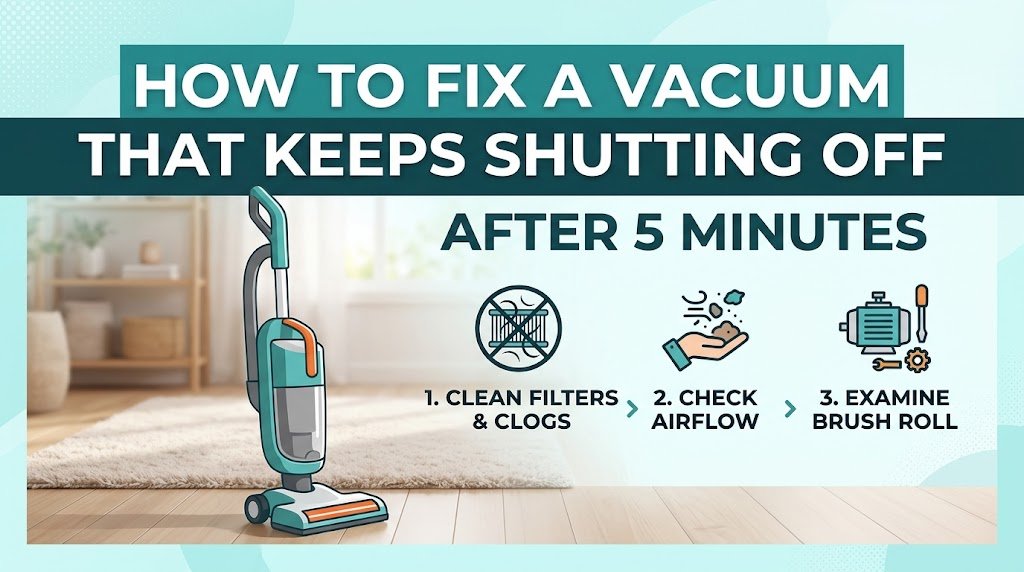
You are in the middle of cleaning your living room rug, maintaining a solid momentum, when suddenly your vacuum cleaner’s motor pitches up, sputters, and completely shuts off. You hit the power switch—nothing happens. Then, after sitting untouched for 10 or 15 minutes, it mysteriously turns back on, only to die again five minutes later.
This maddening cycle is one of the most frequent appliance issues home dwellers and professional cleaners encounter. When a vacuum cleaner consistently shuts down after roughly five minutes of operation, it is almost never a dead battery or a broken power switch. Instead, it is a deliberate safety feature at work: thermal overload protection.
Modern vacuum cleaners are engineered with internal thermal cut-off (TCO) switches. When internal temperatures spike to levels that threaten to melt plastic housings or burn out motor windings, the switch trips and cuts off power to prevent a catastrophic fire or permanent motor failure.
In this comprehensive guide, we will unpack why your vacuum is running hot, walk through a systematic diagnostic process, and outline actionable, step-by-step solutions to get your vacuum back to peak operating performance.
The Root Cause: Understanding Thermal Overload Protection
To fix an appliance permanently, you must first understand the physics driving the issue.
Vacuum motors require a continuous stream of moving air for two fundamental reasons:
Suction & Debris Extraction: Moving air creates negative pressure, pulling dirt off floor surfaces and conveying it into the collection bin or bag.
Convective Motor Cooling: As room-temperature air travels through the machine, it dissipates heat generated by the high-RPM motor armature and electrical brushes.
┌─────────────────────────────────────────────────────────┐
│              AIRFLOW & COOLING CYCLE                    │
│                                                         │
│  [Intake / Brushroll] ──> [Filter] ──> [Motor Bay]     │
│          │                      │             │         │
│     Blockage?              Clogged?       Overheating!  │
│          │                      │             │         │
│          └──────────────────────┴─────────────┘         │
│                                   │                     │
│                        Thermal Sensor Trips             │
│                                   │                     │
│                           VACUUM SHUTS OFF              │
└─────────────────────────────────────────────────────────┘
When airflow is restricted by even 40% to 50%, the volume of air passing over the motor housing drops sharply. Without adequate air volume to carry heat away, heat builds up rapidly. Within four to six minutes of continuous operation, the internal motor casing reaches critical threshold temperatures (typically between 180°F and 210°F / 82°C to 98°C). The thermal relay trips, opening the electrical circuit and bringing the machine to a dead stop.
Key Takeaway: A vacuum that turns off after exactly five minutes is rarely suffering from an electrical short or motor failure. It is overheating due to airflow starvation or excessive mechanical resistance.
6 Primary Reasons Your Vacuum Shuts Off (and How to Fix Them)
Let us examine the six most common culprits behind thermal cut-offs, ordered from highest to lowest statistical probability.
1. Clogged HEPA or Pre-Motor Filters
Pre-motor and exhaust filters trap microscopic allergens, pet dander, and fine dust particles before air exhausts back into your living space. Over months of use, fine dust burrows deep into the porous matrix of foam, felt, or pleated HEPA media. Even if a filter looks clean on the surface, microscopic particulate buildup can severely choke airflow.
       HEALTHY FILTER                    CLOGGED FILTER
   ┌────────────────────┐            ┌────────────────────┐
   │ ░░░░░░░░░░░░░░░░░░ │            │ ▓▓▓▓▓▓▓▓▓▓▓▓▓▓▓▓▓▓ │
   │   Free Air Pass    │            │ Air Flow Blocked   │
   │ ░░░░░░░░░░░░░░░░░░ │            │ ▓▓▓▓▓▓▓▓▓▓▓▓▓▓▓▓▓▓ │
   └────────────────────┘            └────────────────────┘
     Optimal Motor Temp                 Motor Overheats
Step-by-Step Fix:
Locate All Filters: Consult your manual to locate every filter. Bagless vacuums typically feature a pre-motor foam filter below the dust bin and a HEPA exhaust filter near the base.
Inspect and Tap: Remove the filters and gently tap them inside a trash bag to dislodge loose debris.
Wash Washable Filters: Run cold tap water through the filter until the water runs clear. Avoid soaps or harsh detergents unless specified by the manufacturer.
Enforce a 24-Hour Dry Rule: Never reinstall a damp filter. Moisture pulled into a high-speed motor causes instant motor destruction or mold growth inside the housing. Air-dry filters in a well-ventilated area for at least 24 full hours.
Replace Non-Washable HEPA Media: Non-washable pleated paper HEPA filters should be replaced every 6 to 12 months.
Pro Tip: Keep a spare set of filters on hand. Rotating between two sets eliminates downtime while washed filters dry completely.
2. Blockages in the Hose, Wand, or Base Intakes
A physical obstruction within the intake pathway acts like a dam in a river. Common culprits include clumped pet hair, small toys, sock corners, pine needles, or coins wedged at tight bends in the intake channel.
Step-by-Step Fix:
Isolate the Component: Detach the flexible extension hose, rigid wand, and floor cleaning head.
Perform the Visual Sight Test: Look through the rigid wand toward a light source. If you cannot see a clear circle of light, an obstruction is present.
Clear the Obstruction: Feed a flexible wire coat hanger or broom handle through the hose to push out wedged debris.
Inspect the Hose Elbow: Pay special attention to the lower hose elbow where the flexible hose connects to the base deck. This 90-degree turn is the single most common location for persistent clogs.
Example Case: A Dyson upright vacuum continuously shut off after 4 minutes of carpet cleaning. The owner washed all filters, but the issue persisted. Upon feeding a broom handle through the lower duct, a compressed plug of pet hair and a plastic bread clip were dislodged, instantly resolving the thermal shut-off issue.
3. A Jammed Brush Roll or Tangled Agitator
The brush roll (or agitator bar) spins between 2,000 and 6,000 RPM to lift carpet fibers. Hair, thread, and carpet fibers naturally wrap around the spinning cylinder over time. When string or long hair migrates into the end caps and bearing assemblies, friction increases dramatically.
This friction creates a double hazard:
The drive belt exerts extreme mechanical load on the motor spindle, drawing higher electrical amperage and causing the motor to heat up faster.
Frictional heat at the brush end caps can melt internal plastic bearing seats, locking up the assembly entirely.
       NORMAL BRUSH ROLL                 TANGLED / JAMMED
   ┌────────────────────┐            ┌────────────────────┐
   │ ═══[BRUSH BAR]═══  │            │ 🌀🌀[BRUSH BAR]🌀🌀 │
   └────────────────────┘            └────────────────────┘
     Free Rotation                    Bearing Friction
     Standard Amperage                High Amp Draw / Heat
Step-by-Step Fix:
Invert the Vacuum Base: Disconnect the unit from power (or remove the battery pack).
Cut Away Debris: Use seam rippers or heavy-duty utility scissors to slice through tangled hair along the guide groove running down the length of the brush bar. Avoid slicing into the bristles or rubber agitator fins.
Inspect Bearings: Remove the brush roll end plates. Spin the bar by hand. If it feels gritty, stiff, or squeals, the internal ball bearings are contaminated and require lubrication or replacement.
Check Belt Tension: If your model uses a stretch belt, check for melting, cracking, or glazing. Replace rubber drive belts every 12 months to maintain correct torque transmission.
4. Overfilled Dust Bin or Bag Full Indicator Failure
Operating a vacuum with a dust canister filled past the “MAX” line forces dust back into the cyclonic separation assembly. Once cyclones fill with debris, centrifugal separation fails entirely, sending raw dust straight into the pre-motor filter within seconds.
Step-by-Step Fix:
Empty the Canister Early: Make it a strict habit to empty dust bins when they reach two-thirds (66%) capacity rather than waiting for them to overflow.
Clean the Shroud: Wipe down the central metal or plastic mesh shroud inside bagless canisters using a dry microfiber cloth to clear lint accumulation.
Inspect Bagged Units: On bagged units, check if the bag chamber indicator light is broken or stuck. Paper and synthetic vacuum bags lose permeability as fine dust coats their inner linings, even if the bag feels only half full. Replace high-density synthetic dust bags promptly.
5. Battery Degradation or Management System (BMS) Cut-off
If you are using a cordless stick vacuum (e.g., Dyson V-series, Shark Stratos, Hoover ONEPWR), a 5-minute runtime followed by a sudden shutdown often points toward lithium-ion battery cell failure rather than heat buildup.
Lithium-ion battery packs consist of multiple individual 18650 or 21700 cylindrical cells wired in series. As batteries age, cell capacities drift apart. Under high power demand (such as “Boost” or “Max” suction modes), a degraded cell’s voltage drops below safety thresholds faster than the others. The onboard Battery Management System (BMS) senses this imbalance and trips the output circuit instantly to prevent thermal runaway.
                  BATTERY CELL IMBALANCE DIAGNOSTIC

   Healthy Pack:    [4.1V] [4.1V] [4.1V] [4.1V] ──> Normal Power Delivery
   Degraded Pack:   [4.1V] [3.9V] [2.8V] [4.0V] ──> BMS Safety Trip Activated!
                                    ▲
                            Voltage Drop Point
Step-by-Step Fix:
Check LED Error Codes: Observe the battery indicator lights when the vacuum turns off. A flashing red light usually signifies a battery cell fault, while a flashing blue light often indicates a thermal trip.
Test on Low/Standard Mode: Run the vacuum on its lowest suction setting. If the unit operates normally for 20+ minutes on Low mode but dies after 2 to 5 minutes on Boost mode, the battery pack has high internal resistance and needs replacement.
Allow Cool-Down Before Charging: Never place a hot, freshly used battery directly on its charger. Charging an overheated lithium-ion cell triggers thermal safety locks inside the charger itself.
6. Faulty Thermal Cut-Off Switch or Damaged Wiring
If you have thoroughly cleaned every filter, verified clear intake hoses, cleared the brush roll, and verified battery health, yet the vacuum still shuts down after 5 minutes, the thermal relay switch itself may be degraded.
Thermal cut-off switches rely on a calibrated bimetallic strip that bends under heat to interrupt the circuit. Over hundreds of expansion and contraction cycles, these metal strips lose structural spring tension. A degraded thermal switch may trip at 120°F (49°C)—a temperature reached during standard operation—rather than its factory-designated 190°F (88°C) safety limit.
Step-by-Step Fix:
Unplug the Appliance: Always isolate the unit from high-voltage AC current before servicing electrical components.
Access the Motor Bucket: Remove the exterior housing screws to access the internal motor assembly.
Locate the Thermal Fuse/Relay: Look for a small plastic or ceramic component wired in series directly against the motor casing.
Continuity Testing: Use a digital multimeter set to Continuity mode ($\Omega$). A cold thermal switch should read near $0~\Omega$. If it shows high resistance or open circuit ($OL$) at room temperature, the switch is defective and requires replacement.
Complete Diagnostic Workflow
Follow this systematic step-by-step diagnostic workflow to locate and resolve the issue quickly:
[START] Vacuum Shuts Off After 5 Minutes
  │
  ├─► STEP 1: Disconnect Power & Cool Down
  │     └─ Wait 30-45 minutes for thermal switch to reset.
  │
  ├─► STEP 2: Filter Inspection
  │     ├─ Washable filters thoroughly dried? ──► YES ──► Continue
  │     └─ Clean / replace clogged filters.
  │
  ├─► STEP 3: Clear Airway Clogs
  │     ├─ Perform visual line-of-sight test on wand & hose.
  │     └─ Clear wedged debris using a flexible rod.
  │
  ├─► STEP 4: Service Brush Roll
  │     ├─ Free bearings from hair/thread wrap.
  │     └─ Verify smooth rotation by hand.
  │
  ├─► STEP 5: Battery & Electrical Check (If Applicable)
  │     ├─ Test on Eco/Standard Mode vs. Boost Mode.
  │     └─ Inspect thermal relay with multimeter if clogs are absent.
  │
  └─► [RESOLVED] Restore Normal Operation
5 Common Maintenance Mistakes to Avoid
Prevent recurring motor trips and extend your vacuum’s lifespan by avoiding these frequent operational mistakes:
| Incorrect Practice | Correct Maintenance Protocol | Operational Impact |
| Reinstalling Damp Filters | Air-dry filters for a full 24 hours in a warm, ventilated room. | Prevents water intake into the motor windings, rust, and mold buildup. |
| Running Exclusively on “Boost” Mode | Use Standard/Eco mode for hard floors and reserve Boost for tough carpet spots. | Reduces motor heat and quadruples battery cycle lifespan. |
| Ignoring Burning Rubber Odors | Immediately stop operation and check the brush roll for tangles. | Saves drive belts from melting and prevents motor bearing damage. |
| Vacuuming Fine Construction Dust | Use a dedicated wet/dry shop vac with a fine-particle filter bag. | Keeps ultra-fine drywall or plaster dust from blinding standard vacuum filters. |
| Storing Vacuums in Unconditioned Spaces | Store appliances in temperature-controlled indoors (60°F–80°F). | Protects lithium batteries from thermal shock and prevents premature sensor failures. |
Frequently Asked Questions
1. How long does a vacuum thermal overload switch take to reset?
Most bimetallic thermal overload switches require between 30 to 45 minutes to cool down sufficiently and reset the internal circuit. If you attempt to turn the unit back on after only 5 or 10 minutes, the motor may not restart, or it will cut off again almost immediately because internal ambient temperatures remain high.
2. Can I bypass the internal thermal switch to keep my vacuum running?
Never bypass a thermal cut-off switch. The thermal switch is a critical fire-prevention safety device. Bypassing it forces an overheating motor to run unchecked, which will melt housing components, destroy armature windings, and pose a severe electrical fire hazard.
3. Why does my vacuum smell like hot plastic or burning rubber right before shutting off?
A burning smell typically indicates one of two issues:
Friction on the Drive Belt: The brush roll is jammed with hair or string, causing the motor pulley to spin against a stationary rubber belt.
Severe Motor Overheating: Restricted airflow is causing the insulation varnish on the motor copper windings to off-gas under extreme heat. Clear all blockages immediately to prevent permanent motor damage.
4. How often should I replace my vacuum filters?
Foam and Felt Pre-Motor Filters: Wash every month; replace every 6 to 12 months.
HEPA Post-Motor Exhaust Filters: Replace every 12 months (or sooner if you have multiple pets or suffer from severe allergies).
Paper Vacuum Bags: Change when 66% to 75% full, or when suction drop-off is noticeable.
Conclusion & Preventive Care Checklist
A vacuum cleaner that continuously shuts off after five minutes is sending a clear warning signal: it is starving for air. Rather than replacing an expensive appliance, systematic troubleshooting will almost always reveal an easily fixable issue, such as a clogged filter, a wedged object in the lower hose, or tangled hair binding the agitator bearings.
